The Power Of Sketchnoting

Contributed by Emily Golightly

Are you one of those people who finds yourself doodling in the margins of a notepad while on a phone call or in a meeting to help you stay alert and focused? Do you find that visuals help you remember things more than simply reading a written text on the topic? Have you seen the power of visuals and their impact on student learning within your classroom? If so, sketchnoting is for YOU! 

Sketchnoting is a phenomenon that is growing in popularity, not just in classrooms, but also in professional meetings and workspaces, as more and more people are realizing that when words are combined with visuals, there is a greater impact on memory, thinking, and learning. As Tanny McGregor has stated, “Visible note-taking unleashes thinking in words and images: students’ thoughts gush forth to flood the page…Sketchnoting says to us, ‘Someone spent time thinking here.’” (McGregor, 2019, p. 7) Valentina Gonzalez states in her blog post “5 Ways to Use Visuals in the Classroom” this: “Research indicates that our brains process visuals 60,000X faster than text.” (2017) Knowing that, it makes sense that educators would use visuals as often as possible to help students, especially English learners, process and retain important information. While it is a common practice to make mathematical learning concrete and visible, it is less common when teaching academic vocabulary and other content material, but there seems to be an emerging trend that is working to change this.

Sketchnotes have the power to take complex, abstract ideas and make them concrete, all while promoting creative thinking. Here are a few highlights from McGregor’s article on how sketchnotes help not only English learners, but all students:

  • Sketchnotes allow linguistic AND nonlinguistic representation.
  • Sketchnotes give students CHOICE.
  • Sketchnotes strengthen MEMORY.
  • Sketchnotes make annotating thinking-intensive.
  • Sketchnotes increase focus and decrease stress.
  • Sketchnotes embrace design. 
  • Sketchnotes are for ALL grades/people. (McGregor, 2019, pp. 7-9)

Some of the greatest thinkers across generations of scientists, writers, artists, and inventors were avid sketchnoters before it was an educational trend. The sketchnote below shares just a few of history’s famous sketchnoters. 


(Image from p. xv in Ink & Ideas: Sketchnotes for Engagement, Comprehension, and Thinking by Tanny McGregor.)

Digital Sketchnoting App for iPad: 

While paper-and-pencil sketchnoting works just fine, digital sketchnoting is another option that you may want to consider, particularly if you have the technology available in your classroom. Procreate is my preferred app for sketchnoting on an iPad. This is a paid app (currently $9.99 in the Apple App Store), but it gives you the freedom to digitally sketch and save notes. If you have iPads in the classroom, or if you like to sketchnote meetings or workshops, this may be a good investment for you. Doug Neill has many resources and YouTube videos related to digital sketchnoting that may help you get started. (Link: https://www.verbaltovisual.com/sketchnoting-on-the-ipad-with-procreate/

For a wonderful page full of sketchnoting examples from EL guru Valentina Gonzalez, visit her website (https://elementaryenglishlanguagelearners.weebly.com/infographics.html). You may also want to check out her blog post entitled “5 Ways to Use Visuals in the Classroom” (https://elementaryenglishlanguagelearners.weebly.com/blog/5-ways-to-use-visuals-in-the-classroom) for additional information. Good luck on your sketchnoting journey! 

Sketchnote Gurus to Follow on Twitter:

Valentina Gonzalez: @ValentinaESL

Tanny McGregor: @TannyMcG

Doug Neill: @douglaspneill

Clare Mills: @listenthinkdraw

#sketchnotes

Works Cited

Gonzalez, V. (n.d.). Visuals. Retrieved from https://elementaryenglishlanguagelearners.weebly.com/blog/5-ways-to-use-visuals-in-the-classroom 

Gonzalez, V. (n.d.). Infographics. Retrieved from https://elementaryenglishlanguagelearners.weebly.com/infographics.html 

McGregor, T. (2019). Ink & Ideas: Sketchnotes for Engagement, Comprehension, and Thinking. Portsmouth, NH: Heinemann.

McGregor, T. (2019). Sketchnoting K-12: Abstract Thinking Made Concrete. Heinemann 2019-2020 Catalog-Journal, 6–9 (https://www.heinemann.com/PD/journal/2019/PDCJ_Article_McGregor_SketchnotingK-12.pdf). 
Neill, D. (2018, June 6). Sketchnoting on the iPad with Procreate. Retrieved from https://www.verbaltovisual.com/sketchnoting-on-the-ipad-with-procreate/
Using 7 Steps to a Language-Rich Interactive Classroom with ELs

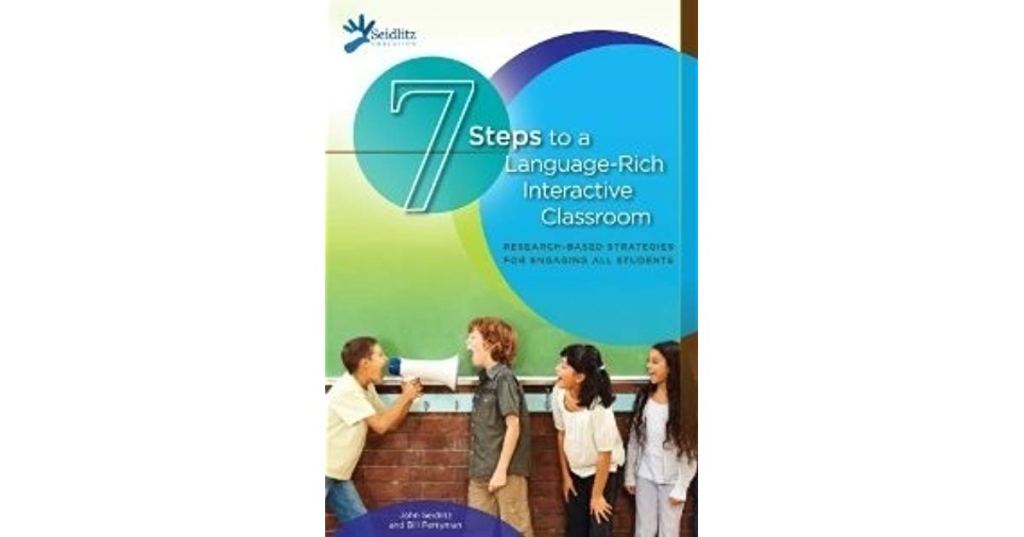
Over the past few years, many ESL teachers have seen ACCESS speaking scores plummet, and we are looking for ways to increase confidence and proficiency with oral discourse. The book, 7 steps to a Language-Rich Interactive Classroom, by John Seidlitz and Bill Perryman, has classroom activities that promote productive academic language. The first part of the book includes seven chapters with steps to complete; each helps create an interactive classroom.

7 Steps to a Language-Rich Interactive Classroom by Seidlitz and Perryman

1. Teach students what to say when they don’t know what to say.

2. Have students speak in complete sentences.

3. Randomize and rotate when calling on students.

4. Use total response signals.

5. Use visuals and vocabulary strategies that support your objectives.

6. Have students participate in structured conversations.

7. Have students participate in structured reading and writing activities. 

The second part of the book includes 26 reading and writing activities that encourage interaction such as “T-chart, Pair, Defend”, “Vocabulary Art Show”, and “Expert/Novice”. After reviewing the WIDA Can-Do Descriptors this summer, I wanted to create a way to structure conversations about 2 different points of view or arguments on the same topic. While using the strategies outlined in the book for “T-chart, Pair, Defend”, students started reading articles on a topic of choice that included pros and cons, such as Scholastic News debates. 

Students completed an introduction using a frame for a complex sentence and a modal verb.

For (pro): Since_______________, we should ____________.  OR Against (con): Even though _____________, we should ______________.

Afterwards, students completed a cause/effect chart with 3 reasons based on the text and 3 effects. They received a list of additional frames to help structure their conversation. Some examples from the Academic Language Functions Toolkit include:

  • In the text ___________, the author argues that ____. 
  • It is vital to consider ___________.
  • Perhaps the most convincing reason for this is ________. 

Click to access Academic-Language-Functions-toolkit.pdf

Finally, students prepared a conclusion before presenting their point of view to the group. For example, students completed the following sentence frame: 

  • All in all, the debate over ______________________ is important because _______________________.

We used the “T-chart, Pair, Defend” activity format to debate the information with a partner first before sharing with the class. 7 steps to a Language-Rich Interactive Classroom provides numerous additional ideas and strategies to help students feel comfortable talking and presenting information.

Resources:

Academic Language Function Toolkit: A Resource for Developing Academic Language for All Students in All Content Areas (2010, October) Retrieved November 23, 2019, from https://www.literacyhow.org/wp-content/uploads/2013/06/Academic-Language-Functions-toolkit.pdfSeidlitz, J., & Perryman, B. (2011). 7 Steps to a Language-Rich Interactive Classroom: Research-based Strategies for Engaging All Students. Irving, TX: Seidlitz Education.

Helping EL Students Remember Vocab

Contributed by Vivian Simmons

Enhancing vocabulary lessons by building all 4 language skills is indeed an essential part of students’ ESL growth. Yet, this should not be an overwhelming task for teachers to tackle.
Margarita Calderon is the author of Teaching Reading and Comprehension to English Learners K-5. In this book, she introduces ExC-ELL: Expediting Comprehension for English Language Learners as a framework of instruction to increase English comprehension. She talks about 7 steps to teach vocabulary to the students. Let’s not forget that before we [teachers] attempt to do this, we should stick to a well-established [lesson] plan.

Use a base reading tool to begin the classroom session (book, reading passage, newspaper article, book app, etc.). 

Pre-teach vocabulary: tier 1 (words most people will know, or social language), tier 2 (information processing/connector/ transition words) and tier 3 words (subject-specific or academic language). According to Calderon (2011) students should be exposed to 5 new words, per day, per subject area.

Her 7 steps include: 

1. Say the word 3 times. 

2. Use the word in a sentence. 

3. Give the dictionary definition.

4. Give the student friendly definition.

5. Highlight any difficult part of the word. 

6. Think-pair-share (use the word 10-12 times). 

7. Summarize the word orally and in writing. 

Build background knowledge (introduce/read the story). Teacher can read aloud and then allow students to pair up and read one more time on their own. 
Check the vocabulary again. 

Reading, writing, listening, and speaking should be used throughout the lesson.
Wrap the lesson up with a writing activity.  

Finally, I would like to share 2 nice strategies to enhance vocabulary acquisition.

Make a Picture or Mental Image:   This strategy is useful since it will help students get a mental image of the stories read, hence, vocabulary knowledge will be put to the test. 

Teaching Paragraph Writing:  I have always thought that if you can say it, you should write it. This is a useful strategy to help students put their thoughts on paper. This will for sure help them practice spelling and vocabulary knowledge. 

Source:

 Margarita
 Calderón
(2011).
Teaching
Reading
&
Comprehension
to
English
Learners
K‐5.

 Bloomington,
IN:

Solution
Tree
Press.


https://www.teacherspayteachers.com/Product/Seven-Step-Vocabulary-Posters-for-ELLs-1964607

Organizational/Family Literacy Tool

Contributed by Joy Hamm

Symbaloo-a free online resource that will take your list of websites and organize them into one space making your links easily accessible for you, your students, other teachers, and EL families. You can also link your symbaloo account to your Google classroom or teacher website for students to access helpful online resources during independent practice or at home on their mobile devices.

Before


Screenshot of Links In List Form

After

Screen Capture of Links Organized in Symbaloo

Instructions

  1. Go to www.symbaloo.com  and sign up for a free account. 
  2. Create tabs (For students, for personal use, for content teachers, etc).
  3. Your blank symbaloo page will have a lot of empty tiles and a google search box in the middle.

  1. RIGHT click on an empty tile and you can copy and paste your website link.  Continue this process- one tile for each link. 

  1. Once you paste the link and click the green button “Add title” the website will appear! At the top of the page, create a shareable link to copy into your Google Classroom or teacher webpage.

    Students or parents can download the Symbaloo app on their phone and access these resources at home!  

WIDA Writing Rubric eWorkshop

Contributed by Ambar de Mejia

I recently took the WIDA Writing Rubric Series offered by WIDA because this year, our school is focusing on writing. 

The description on their website states: Using the WIDA Writing Rubric

This eWorkshop provides information for educators who work with multilingual learners in their writing development. The series is for educators of Grades 1-12 to use individually or with a Professional Learning Community (PLC). You will be introduced to two educators who use the WIDA Writing Rubric to focus on day-to-day planning. This series is divided into two sections that correspond to the two videos.

https://wida.wisc.edu/grow/pl/us-based-pl/using-wida-writing-rubric

This self-paced workshop described how to set up a professional learning community with two suggestions on planning the agenda. In addition, the videos show on mainstream teacher collaborating with an EL teacher on student writing work.  The teacher had to display an anchor chart and another chart with the success criteria with the vocabulary needed for the writing prompt to guide students in their writing. You get to watch the two teachers analyzing the student work and then discuss next steps to help the student improve his or her writing using the WIDA writing rubric.

There are opportunities for self-reflection during the course. Take advantage of the handouts because they also have video transcripts.  Although I received a newsletter WIDA about their eWorkshops, the course and other offerings are not currently available through CANVAS or on their website. Sign up for their newsletters to find when they are next available.

https://wida.wisc.edu/grow/us-based-pl/elearning/self-paced

Using Interactive Technologies for Equitable Access

Contributed by Tori Mazur

For about a decade, SMART boards have been installed in classrooms and initially a burst of excitement about interacting with that large screen in front of the room.  The promise has fallen short, however, as most never purchased anything beyond the 1 person touch board, thereby creating a stand-and-deliver model that engaged at most one student at a time while the rest of the class watches.   

As more schools invest in student devices, whether it be a 3:1, 2:1 or 1:1 ratio, we can ensure that all students are engaged in the content with some thoughtful technology products.  The power of including students new to our country, let alone school, was obvious recently during our annual Technology Responsible Use lesson. Every student participates in these lessons before agreeing to use school technology for learning, even if they are newcomers, so it is essential that we provide equitable access.

Our elementary school subscribes to PearDeck, which integrates with our Google Education Suite, but also works with Microsoft.  While the free version allows for the same interactivity, the types of questions your slides can be converted into is upgraded when using the Premium features.   Our lesson slides can merely present content or require students to respond, depending on how you construct your slides. When presenting this lesson to a classroom of fourth graders that included a new student from China, we took advantage of two pieces of technology to make sure he was included:

  • Google Slides presented through the PearDeck add-on
  • Google Translate on a small iPad that we have set aside for our ESL teachers to distribute to newcomers

Here are two slides of his responses.

Screen Capture of Student’s “Take Away” Published to Google Docs

The student held up Google Translate to the text on screen and it translated into Chinese immediately so he could access the question.  He answered in English without the need for additional scaffold. This gave us some formative data that he knows some English and can demonstrate his knowledge at his assessed level of English proficiency appropriately.

Screen Capture of Student’s “Take Aways” Published to Google Docs

While native speakers responded to this question, his teacher and I walked over to his desk and spoke the question in English into Google Translate on the iPad.  Then the student tapped the camera to capture the text for translation so he knew what his answer choices were. Being able to speak and translate in the moment is so powerful.  The ability to answer on his own laptop lowered his affective filter in front of this peers, while ensuring he was a part of the learning community.

As schools and districts invest in technologies, educators working with language learners must advocate for equitable use of technology funds in order to support learners.  It’s up to us to model the inclusivity that edtech products provide to support our arguments for what we need. If I had the class sitting in front of the SMART board just watching one student at a time come up to choose an answer, our new student would not have shown us how SMART he already is. 

Note: There are several “freemium” products like PearDeck, including Nearpod. Some may need to be added by your district’s digital learning department. Check with your local IT department for policies that comply with any edtech product you want to use with students under 13 to protect student information and privacy, as well as adhere to federal law under COPPA.

How To Use Sentence Frames in ESL and Content Classrooms

Contributed by Lisa Sibaja

When I first started teaching ESL in 2011, I knew giving sentence frames to students was important for the following reasons. Sentence frames help:

  • build productive language skills in the domains of speaking and writing
  • scaffold information in all content areas
  • develop academic vocabulary
  • support all students, especially struggling learners

Even though I knew they are beneficial, I wasn’t sure how to use them. I asked ESL leadership, attended workshops, and tried lesson after lesson to help utilize this strategy to support our ELs. Over the past few years, I have realized that many content area teachers have no idea how to use them either. So, here are several ways I have had success with sentence frames…

Warm Up Activities:

To elicit complete responses from students using complex sentences, transition words, and modal verbs, write the phrase on a small white board and have students respond orally as a warm-up activity.

·        During summer break, I would like to ________________.

·        If I had a million dollars, I could ____________________.

Another idea is to create a circle of chairs in the classroom. While using a word bank, students write their own sentence frame on individual white boards to practice dependent clauses (If it snows, _________.  While on vacation, _______.  When I leave school at 2:45, ___________. If I get a new puppy, ________). Everyone then switches chairs to finish writing the sentence someone else started with an independent clause in a different colored marker. Students share their complete sentences (and laugh!).

During Partner Work:

Before teaching a lesson, write sentence frames on index cards. Easier frames can be written in green on one side and more challenging frames in orange on the back. Students can choose the difficulty level of the frame they attempt to complete.

_______ (title) and _____ (title) are similar/different because ____________.

______ (title) is ______; however, _______ (title) is ______. They both have _____ in common.

During QSSSA Strategy or Roving Paragraphs (Salva and Matis, 2017):

Use sentence frames to structure student responses. For example, while students are analyzing an IXL graph during a graphing unit, provide the following QSSSA activity:

✔  Question: How can you read the graph and determine the correct answer to the problem?

✔  Signal: Think about the solution and stand up when you have the answer.

✔  Stem: Use the stem, “I can prove that ___ is the correct answer because __________.”

✔  Share: Share with a partner using the sentence frame.

✔  Assess: Tell the group using the sentence frame.

Here’s another example: After reading a text such as Habitat Rescue with a fourth grade group, type the following on the SmartBoard and help students uncover each sentence as they progress through the Roving Paragraph assignment.

Saving animal habitats is important because ________________. [Students write the frame on a sheet of notebook paper and fill in the blank. Then, they “rove” around the classroom and share a sentence with a partner. The teacher then reveals the next frame.]

To begin, humans can ___________________. [Students can write an original sentence or “steal” the idea they previously heard from their first partner. Then, they find a second partner and read the entirety of what they had written. The process is repeated with sentences three and four to create a complete paragraph. Each student can then read his or her paragraph for the group.]

In addition, ____________________________.

Finally, _______________________________. 

As Conversation Starters:
While reading the text _________, I noticed ________.

During Group Conversations:

In my opinion, ______________. I can support my point of view with evidence from the text. For example, the author stated______________ in paragraph ______.

I would like to add to your idea by saying ___________________.

As A Cheat Sheet At A Student’s Desk:

Have a half-sheet of sentence frames laminated that include responses to the Key Uses of Academic Language from the WIDA Can-Do Descriptors: recount, explain, argue, discuss. English Language Development Researcher, Cynthia Lundgren, shares concepts to develop language in each of these areas. Examples  include: “Studies showed that __________.”(p. 6)“This occurrence is called _______.” The event ________ “occurs/ happens when/started from” ___________. (p.10)

Many other sentence frames can be created using precise language to serve as models for our English Learners and support their language production.

References:

Lundgren, C. (2015, November). WIDA: Introducing the Key Uses of Academic Language. Presented at the Minnesota English Learner Education Conference, Minneapolis. Retrieved from https://www.slideshare.net/MELEdConference/wida-introducing-the-key-uses-of-academic-language

Salva, C., & Matis, A. (2017). Boosting achievement: reaching students with interrupted or minimal education. Irving, TX: Seidlitz Education.

Building Bridges

Contributed by Joy Hamm

What draws families and builds connections between home and school? 

Our English Learners (ELs) are engaged in a complex set of relationships and cultural worlds that influence their school experience (Epstein, 1995). Factors outside of school walls affect the achievement taking place in the classroom, therefore our role as English language teachers includes fostering partnerships between our EL families and schools (Harris et al, 2009; Goodall, 2018). 
The following suggestions may be useful as you contemplate how you can build bridges to connect EL families with your school.

1.  Open House or Orientation meeting specifically tailored to EL families. Basic procedures such as dress code, school lunch program,  what a typical student day looks like, how to set up a “homework zone” etc are helpful for families who may be unfamiliar with processes in the USA. Brochures sent home in the native language could be another idea to help families gain an awareness of school culture. 

2. Call home. Parents may work late into the evening, making it difficult to participate in school events. They can still stay connected through a quick call or text home alerting them to positive feedback on their child’s progress. TalkingPoints.org (or app) is an excellent tool to communicate with parents as it translates your text into their native language and vice versa. 

3. Visit families where they feel safe. Home visits take time, however the benefits of increased family trust and mutual understanding make it worthwhile. To be more efficient, find a public place where a majority of your EL families congregate. This may include a church, international grocery store, or restaurant. Not only are you connecting with multiple families at the same time, but you get to experience a taste of their culture as well! 

4. Partner with the community. For example, Winston-Salem is home to the Hispanic League and the YMCA Latino Achievers programs, both of which provide extensive resources, scholarships, and aid for EL families. Many libraries and community colleges offer classes or family programs as well. Don’t recreate the wheel if there are already well-established community organizations that are eager to partner with you and your school. 

5. Infuse cultural appreciation.  An international night may seem too daunting or may not be feasible at this time. Start small. Ask for family permission and have your students video their parents either telling a story about their culture or filming 3 minutes of a typical evening at home. Most families have access to smartphones and are willing to capture who they are on film. Share with teachers at a staff meeting to deepen cultural competency and appreciation. This is a great way to learn about ELs’ personalities and strengths that may not be visible at school.

Hopefully this list sparks your own ideas to expand connections with EL families this school year. Please comment below to share other suggestions to build bridges with our families!

References

Epstein, J. 1995. “School/Family/Community Partnerships: Caring for the Children We Share.” Phi Delta Kappan 76: 701–712. https://doi.org/10.1177/003172171009200326

Harris, A., K. Andrew- Power, and J. Goodall. 2009. Do Parents Know They Matter? Raising Achievement Through Parental Engagement. London: Continuum International Publishing Group. 

Goodall, Janet. Guest Editor (2018) Leading for parental engagement: working towards partnership, School Leadership & Management, 38:2, 143-146, DOI: 10.1080/13632434.2018.1459022

Beyond the ESL Classroom

Contributed by Christopher Goodnight

When I first began last year as an ESL teacher, I only thought of the position as any other teaching role. I would serve my students and teach them what they needed to know. However, after I attended a conference later that fall, I realized an ESL teacher is much more than just teaching a curriculum and helping students understand vocabulary.

At that conference, I realized the role of an ESL instructor as more of an activist for not only the students they see everyday, but also the parents and their home lives. I heard and saw teachers speaking of helping families get resources, partnering schools with businesses, and becoming leaders in family engagement activities. That is what got me thinking out of the box of what I once thought being an ESL teacher might be. 

Since then I have created a few family engagement activities of my own that have so far been successful. Here are some tips and ideas for things to do to get families more engaged and to see the school as a community center.

Since then I have created a few family engagement activities of my own that have so far been successful. Here are some tips and ideas for things to do to get families more engaged and to see the school as a community center.

  1. Call your local community college and ask if they offer English as a foreign language class. Most of the time these classes are free for non-English speakers. We were able to work with the local community college and asked for an instructor to come out to our Elementary school to give the classes! Even though the community college is only a 15 minute drive, most of our parents would not make that drive 3 or 4 nights a week to attend a class. We were able to bridge that gap for parents and offer the classes right where they are. At our school, we converted an intervention room into the Adult English Class. We currently have level one and level two classes with around 18 students in both classes. We are hoping every year to add on another level.
  2. Design workshops that parents would attend. Even as adults, we need education. We hope that our students are lifelong learners and we have to help provide that opportunity as well for our parents. Give out a survey with a variety of topics that would be of high interest to your community and parents. This could be anything from reading tips, to financial awareness, to even what is bullying. Allows the parents to select the workshops they would attend. Form a calendar of what workshop would be offered and the date. Ask experts on the topics if they would be willing to come in on the date assigned and lead a discussion group that would educate parents. 
  1. Offer a parent meet and greet with your EL students and parents. Lead a discussion on what their students do in your classroom and give suggestions for things they can do at home that would continue their learning. Provide websites, applications, and any other useful pieces of knowledge that would benefit a family outside the school. This could also be a time to give tips on math or reading strategies. You could even do a grade level breakdown of how each grade teaches math/reading.
  2. Look for other opportunities in the community that would benefit our families. When you sit and think of ideas, it only takes a phone call to see if someone would be willing to partner with you. We have thought of calling out the mammography, getting cheap haircuts from the local community college cosmetology department, hosting a yard sale, having the police department come and talk about the do’s and don’ts in specific situations, and many more.

Linguistic Capital Via Translanguaged Books

Contributed by Joy Hamm

One culturally responsive method for celebrating our English Learners’ linguistic and cultural capital, specifically those who are native language literate, is by providing translanguaged books. Translanguaging is the fluid interchange between more than one language and encourages English Learners (ELs) to use their native language as a resource  (García & Wei, 2014). Authors such as Julia Alvarez, Sandra Cisneros, and Judith Ortiz Cofer have experimented with the uninterrupted alternation between languages, which Otheguy, García and Reid (2015) have defined as “deployment of a speaker’s full linguistic repertoire without regard for watchful adherence to the socially and politically defined boundaries of…languages” (p. 281). An example of translanguaging, or the merging of two languages, is seen in Judith Ortiz Cofer’s (2004) novel, Call Me María: “[Mama] will say ¡Mira que lindo! while she’s dressing you for kindergarten and tell you that you will break many corazones in your life” (p. 25).

This brief explanation of translanguaging supports why our ELs, specifically native language literate, will benefit from this method of culturally and linguistically responsive reading. For more information, visit the following hyperlinks: CUNY-NYSIEB, check out their translanguaging guides, or download a list of Latino/a  translaguaged books for K-12 students.

“An English-speaking Chinese girl, a Spanish-speaking man, and a Polish-speaking woman might not be able to converse, but when a sparrow trapped in their subway car needs help, their common concern bridges the language barriers between them.” (Amazon summary) 


“Maria is a girl caught between two worlds: Puerto Rico, where she was born, and New York, where she now lives in a basement apartment in the barrio. While her mother remains on the island, Maria lives with her father, the super of their building. As she struggles to lose her island accent, Maria does her best to find her place within the unfamiliar culture of the barrio. Finally, with the Spanglish of the barrio people ringing in her ears, she finds the poet within herself.” (Amazon summary)

References

García, O., & Wei, L. (2014). Translanguaging: Language, bilingualism, and education. New York, NY: Pal-grave MacMillan.

Otheguy, R., García, O., & Reid, W. (2015). Clarifying translanguaging and deconstructing named languages: A perspective from linguistics. Applied Linguistics Review, 6(3), 281-307. https://doi.org/ 0.1515/applirev-2015-0014

Design a site like this with WordPress.com
Get started